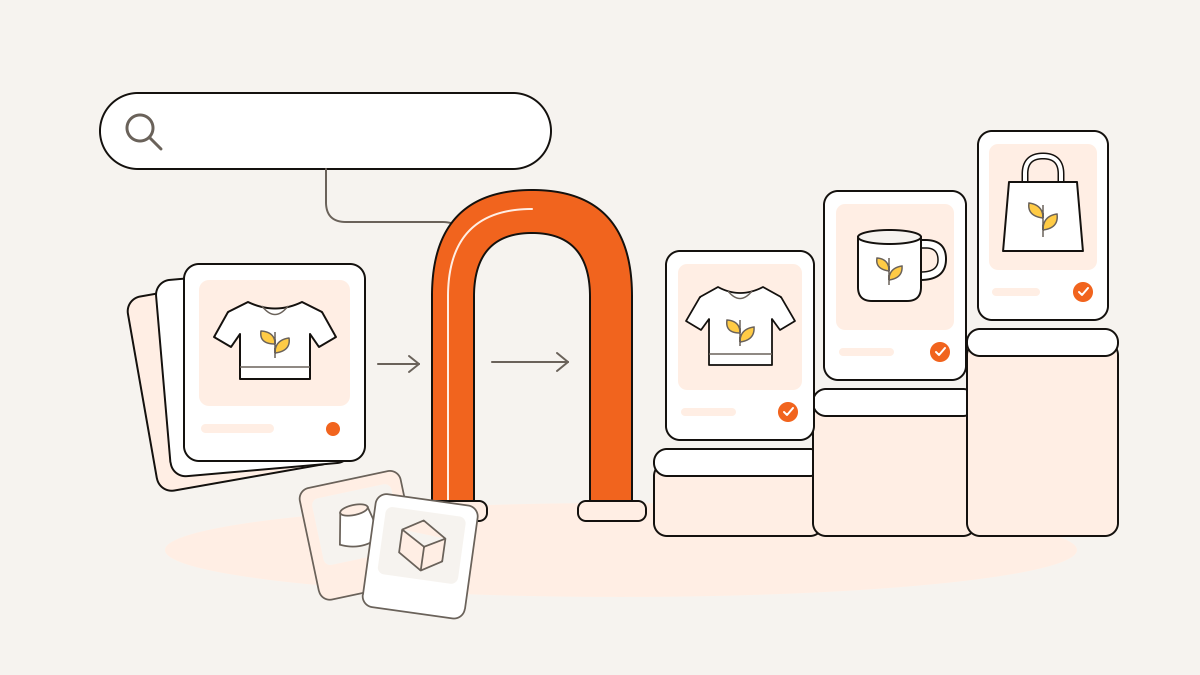
Etsy first matches your listing to a shopper’s search, then ranks matching listings using relevance, buyer engagement, shop experience, and that shopper’s preferences. That’s the distinction between matching and ranking.
Before you rewrite every tag, check where buyers stop: finding your listing, clicking it, or buying it. Use that bottleneck to decide what to check first and which listing changes to make this week. Say you sell a gardening sweatshirt: work through those steps to choose the fix that addresses where your buyers are getting stuck.
How does the Etsy algorithm work: matching first, ranking second
Relevant keywords help your listing qualify for a search; they don’t secure a prominent position. Your listing still competes with other matches on listing quality, customer experience, shop reputation, and sales history.
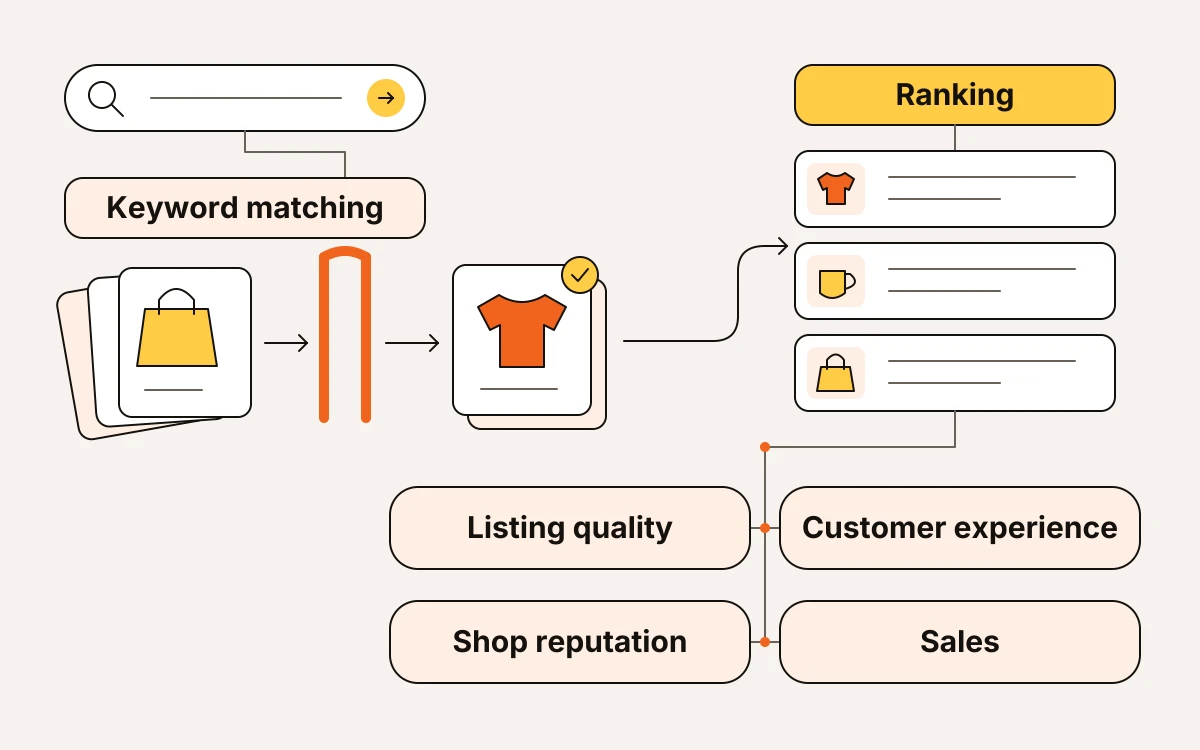
Etsy draws on your whole listing to match it to a query. It uses titles, tags, categories, attributes, and light context from descriptions to understand what you sell. Give those fields a consistent job: identify the product accurately. Use the description to explain it naturally, rather than paste in a string of search phrases.
Ranking determines which matching listings buyers see first. Listing quality and buyer engagement matter alongside past sales performance and the experience your shop provides. Accurate tags can establish relevance, but they can’t make up for every weakness in your listing or offer.
Your position also depends on who’s shopping. Style preferences, engagement history, price sensitivity, language, and sometimes location can change the results. Your own search won’t tell you where you rank for everyone. A ranking checker gives you a comparison snapshot; individual buyers may see different positions.
New listings receive a small, temporary search boost, and renewed listings receive a smaller one. Editing a title, photo, or tag does not itself earn that recency boost. That exposure is temporary, so don’t keep renewing listings or shuffling accurate tags to chase it. If your wording already describes the product clearly, look beyond keywords before editing it again.
No search traffic? Check demand and relevance before changing tags
Low Etsy search traffic can mean weak demand or a listing that misses the phrases buyers use. Start with your traffic sources and search terms in Shop Manager to separate those problems.
Check whether demand has changed
Look at Etsy search traffic separately from visits brought by social media, ads, or direct links. Shop Manager’s search terms show which searches already bring buyers to your shop. They don’t show every search your listing appeared in.
If search traffic falls across several listings, check Etsy Search Trends before rewriting them. Compare activity for their main product phrases. A broader slowdown calls for a different response than one listing losing visits while interest holds.
Use eMarketInsight’s free Etsy keyword research tool to compare demand and competition for relevant phrases; its demand estimates come from listing views, favorites, and purchases, because Etsy publishes no search volume. Compare the estimates with each other rather than treating them as exact counts of searches.
If demand persists, check relevance
Audit these in order:
- Product wording: Does your listing name what buyers want to buy, or does it lead with a design name?
- Category: Choose the deepest applicable subcategory instead of stopping at a broad parent category.
- Attributes: Complete relevant color, material, and occasion fields. These provide additional matching information and help buyers find listings through sidebar filters.
Use the keyword research and titles-and-tags guides for the detailed wording work. For today, focus on identifying whether interest has weakened or your listing needs a clearer match.
Found but not chosen? Fix the thumbnail and offer
If relevant shoppers aren't clicking, fix the thumbnail first. If they're visiting but not buying, check the total price and product clarity before changing accurate keywords.
Clicks, favorites, add-to-cart activity, and purchases help Etsy judge listing quality and whether your offer satisfies matching shoppers. Favorites aren't purchases, and no single signal decides visibility.
When clicks are weak
Look at your first image at mobile-grid size, beside similar listings. Can you immediately identify the product and read the design? Fix tiny artwork, distracting props, poor contrast, or a crop that hides what you're selling.
Use the photo guide for composition details. If you sell a physical product and need a clearer product image, try eMarketInsight’s free mockup generator.
When visits don't become purchases
Check these in order:
- Total price: Compare what the buyer pays, including shipping, with genuinely similar offers. Use the POD pricing guide before cutting your margin.
- Product clarity: Show size, materials, and personalization choices in your images so buyers don't have to find them in the description.
- Delivery: Make physical-product shipping and processing time clear. For digital downloads, clearly identify the product as digital.
Say you sell a printable wall-art file. If the first image looks like a framed poster for delivery, add a readable “Digital download” label before rewriting tags. Make it clear what the buyer will receive.
Check shop experience when the problem spans multiple listings
If several listings struggle, check shop-wide service problems before editing each listing. Reviews, case history, communication, policy completeness, and fulfillment consistency all contribute to Etsy’s customer experience assessment and can affect visibility across your listings.
Run this check in order:
- Reviews and cases: Look for recurring complaints about late deliveries, product quality, or mismatched expectations. Fix the recurring cause first.
- Fulfillment: Compare your stated processing time with what you and your print provider reliably deliver. If orders regularly run late, set a processing time you can meet. An attractive promise won’t help if you keep missing it.
- Policies and communication: Complete missing policies, make sure they match your listings, and answer buyer questions clearly. Confusion you leave unresolved can become the next complaint.
Use Star Seller as context for your service performance. Focus on the buyer experience behind the badge; chasing it for rankings shouldn’t be your optimization target.
Use shop sections to help buyers browse related products, not as a keyword-ranking shortcut.
Keep Etsy Ads and Offsite Ads results separate from your organic-search diagnosis. Paid visits aren’t evidence that your listings are gaining organic visibility.
Worked example: a gardening sweatshirt with visits but no orders
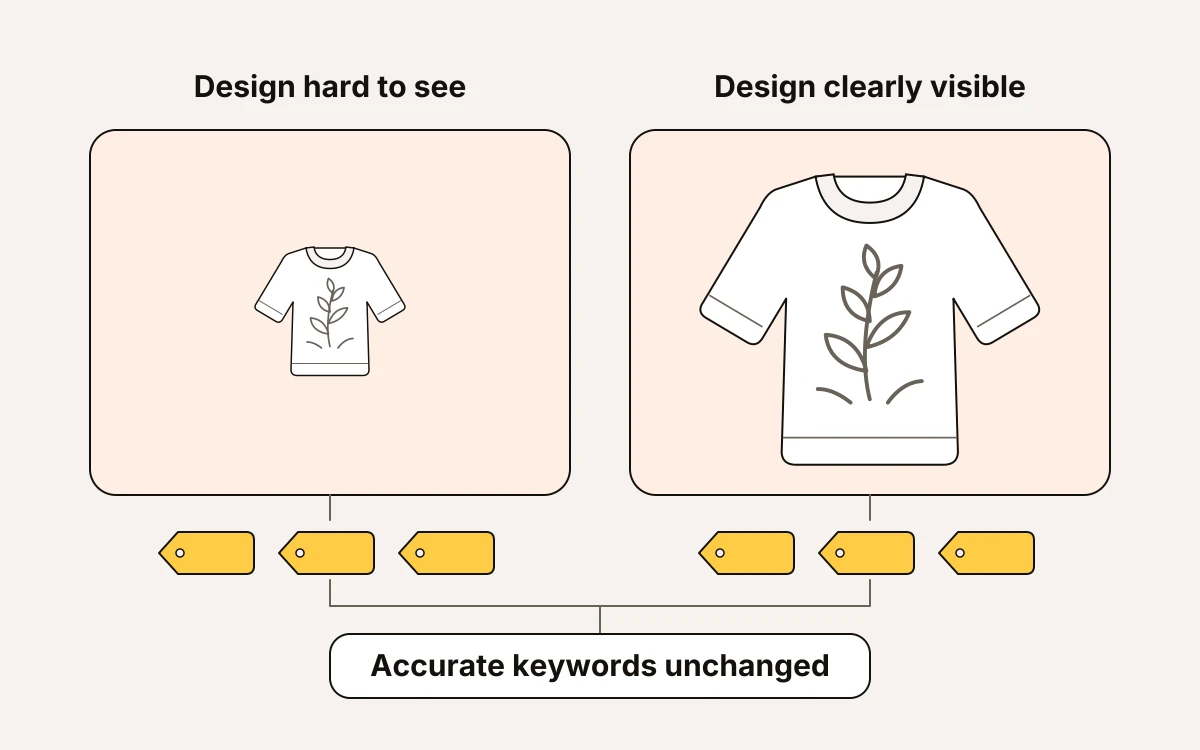
Say you sell a botanical gardening sweatshirt. Relevant Etsy search visits are reaching the listing, but the botanical design is hard to see in your first image. Improve that image before replacing accurate keywords.
Title: Gardening Sweatshirt, Botanical Pullover for Plant Lovers
Tags: gardening sweater, garden sweatshirt, botanical pullover, plant lover gift, gardener gift, floral sweatshirt, botanical sweater, gardening gift, plant sweatshirt, flower pullover, garden lover gift, nature sweatshirt, botanical clothing
That title names the product first, and the tags cover relevant ways a buyer might describe it.
Now say Shop Manager shows Etsy search visits from “garden sweatshirt” and “plant lover gift,” but no orders. Your mockup shows the whole sweatshirt in a busy potting-shed scene; the botanical artwork looks like a faint patch on the chest.
Those search terms suggest your targeting fits. Next, check what's getting in the way of a purchase. Can buyers see the design clearly, choose a size, and find shipping and processing time without hunting? If the size and delivery details are clear, change the weak image first.
This week’s edit:
- Replace the opening mockup with a closer, uncluttered view that shows the artwork clearly while keeping the sweatshirt recognizable.
- Keep the accurate title, tags, category, and attributes stable.
- After the change, review Etsy search visits and orders separately from paid or other traffic.
Keep the keywords that describe your sweatshirt accurately, and give buyers a clear view of the design they're deciding whether to buy.
Your shop checklist for this week
Keep this week’s work small enough to track: choose one listing, fix the bottleneck you’ve identified, and record what happens next.
- Save your baseline. Record the listing’s current Etsy search visits, relevant Shop Manager search terms, and orders for a dated period. Keep paid and other visits separate.
- Compare competing offers. Use the free search ranking checker to compare listings for your target phrase, including their prices and shops. The results give you a comparison snapshot; rankings aren’t universal.
- Make one focused change based on the diagnosis above. Write down exactly what you changed and the date. Leave unrelated parts alone.
- Review before editing again. Compare subsequent search traffic and orders over a comparable period. If visits are still sparse, check demand and relevance again. If relevant visits continue without orders, reassess the offer before deciding what to change next.