To change your Etsy shop name, go to Etsy.com → Shop Manager → Settings → Info & Appearance. Click Change beside Shop name, enter your new name, and select Save.
Use Etsy.com in a browser on your computer or phone. Follow the steps below so you don’t spend time hunting through the app.
If Etsy rejects your name, the troubleshooting steps below can help. You’ll also see a printable shop’s decision about renaming, what happens to old links, and how the change affects returning buyers. Once you’ve saved your new name, use the short rebranding checklist to update your public details.
Change your shop name in Shop Manager
You can change your shop name in your existing shop’s settings on Etsy.com. Sign in to the account that owns the shop, then:
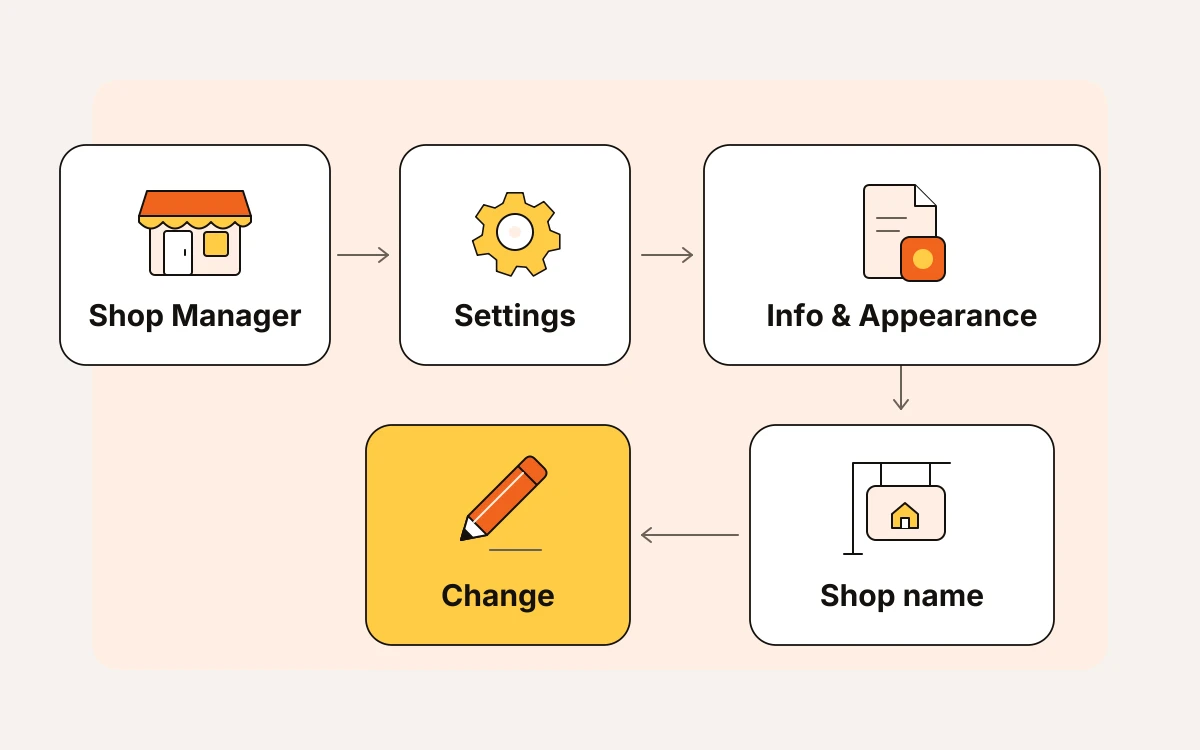
- Open Shop Manager.
- Select Settings.
- Choose Info & Appearance.
- Find Shop name and click Change beside it.
- Enter your new name, then select Save.
On your phone, open Etsy.com in a mobile browser. If you can’t find the settings, request desktop view from your browser’s menu.
Make sure you’re editing your shop name rather than your account username. You can change your shop name, but your Etsy username stays the same after registration.
Check these first if your new name won't save
If Etsy rejects your new shop name, check its format first, then availability, then your shop’s rename history.
- Remove spaces and punctuation so the name is one continuous string. Capital letters can help buyers see where each word starts.
- Check the length and whether the name is appropriate. Your name must be no more than 20 characters and must be appropriate. If it’s too long, shorten it before trying to save again.
- If the name is unavailable, try another. Searching for open shops won’t tell you whether a name is available. A name can return no shop results and still be reserved because a renamed or closed shop previously used it. Those names remain unavailable to other sellers, even when the search comes back empty.
- Check how many times you’ve renamed your shop. Before opening, you can change its name as often as you like. Once your shop is live, you can change it up to five times.
Etsy publishes its current shop-name rules in Etsy Help; check there when a restriction blocks your change. If you need a different name rather than a formatting fix, use eMarketInsight’s Etsy Shop Name Ideas guide for brainstorming.
A printable shop expands beyond wedding planners
A broader shop name makes sense if household printables are becoming a lasting part of your wedding planner catalog. If you’re only trying one new listing, keep your current name until you decide where the shop is headed.
Say you sell wedding planners and now offer household printables. VowPagePrints fits the wedding range, but PaperFernStudio leaves room for meal planners, cleaning checklists, and budget sheets. Capitalize each word so buyers can read the name without spaces.
Before you commission a new logo:
- Check for conflicts with open shops using eMarketInsight’s free shop name checker.
- Check trademarks on the United States Patent and Trademark Office website.
- Confirm that Etsy accepts the new name by saving it before paying for branding.
For this shop, a broader product range is a good reason to rename. A slow sales month isn’t.
What happens to your links and returning buyers
When you rename your shop, Etsy automatically updates your shop URL and forwards old shop links to the new address. Your previous name stays reserved, so another seller can’t use it.
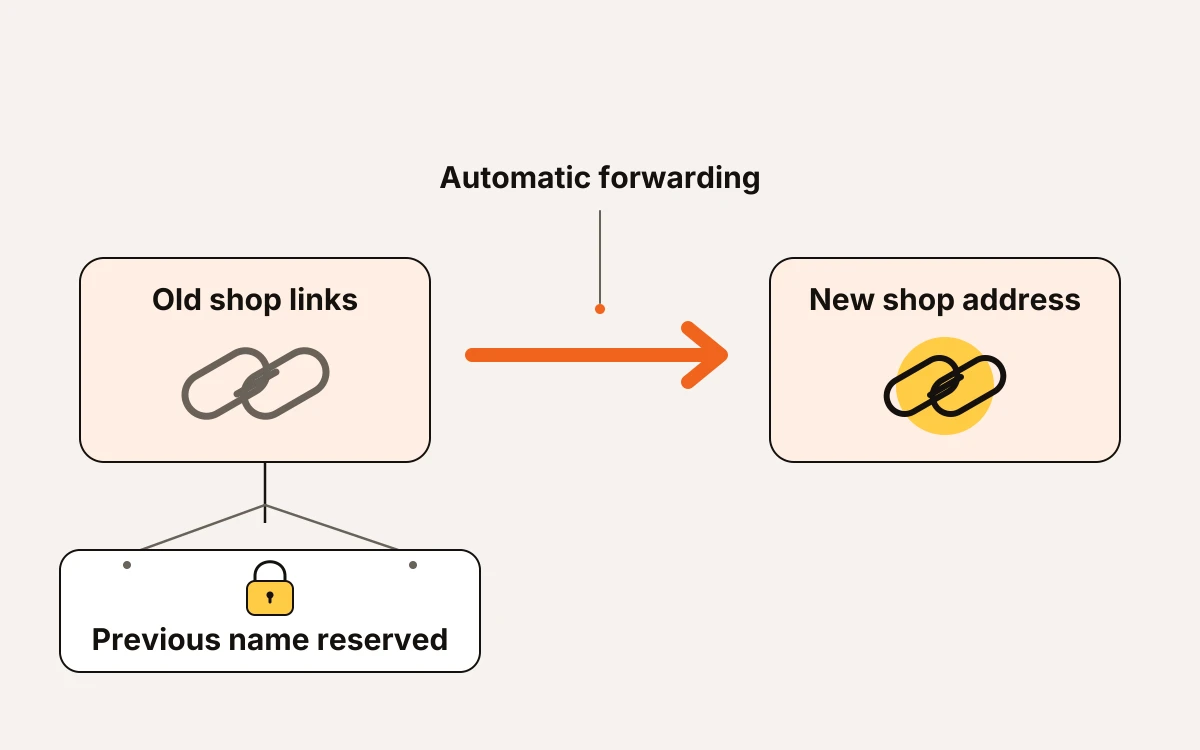
For PaperFernStudio, the new address is etsy.com/shop/PaperFernStudio; the alternative format is PaperFernStudio.etsy.com. Etsy uses a 301 redirect, which permanently forwards the old address to the new one. Buyers following an old bookmark or shared shop link still reach your shop, and you don’t need to set up the forwarding yourself.
Returning buyers will see two reminders of the change:
- On your shop and in shop searches, Etsy displays an icon showing that you changed your shop name.
- On past transactions and receipts, customers still see your old shop name.
If a past customer asks why their receipt has a different name, explain that you renamed the shop. The old name belongs on that receipt and doesn’t need correcting.
Update your shop's public identity this week
Once you've saved your new name, update it everywhere buyers see your shop's name or logo. Start with your shop page, then check the files and packaging customers receive.
- [ ] Update your Etsy shop's icon, banner, announcement, and About section with the new name.
- [ ] Update the social profiles linked to your shop so they match. Change the name in your profile text and graphics, and replace shop links you control.
- [ ] Announce the change through your existing social media, customer email list, and other ways you reach customers. Use the old and new names together so returning buyers recognize you.
- [ ] Check download files with your shop name or logo, PDF instructions, and print-on-demand (POD) packaging inserts for the old name. Inserts are the notes or cards packed with orders. If the old name is still there, update the original files you use to make them. Update any inserts your print provider uses, too, before future orders go out.