To start a print on demand business, choose a specific buyer, pick one suitable product, find a supplier, and check your costs. Order samples before launching a small collection.
Your print on demand (POD) supplier prints and ships after each sale. You still handle designs, pricing, marketing, and customer problems, and you’ll have startup costs even without inventory.
Say you sell gardening shirts and want to launch a small collection. Your product and platform choices, supplier checks, and what each order leaves after costs all shape that launch. Work through those decisions together before you put the collection up for sale.
What your supplier handles—and what you still do
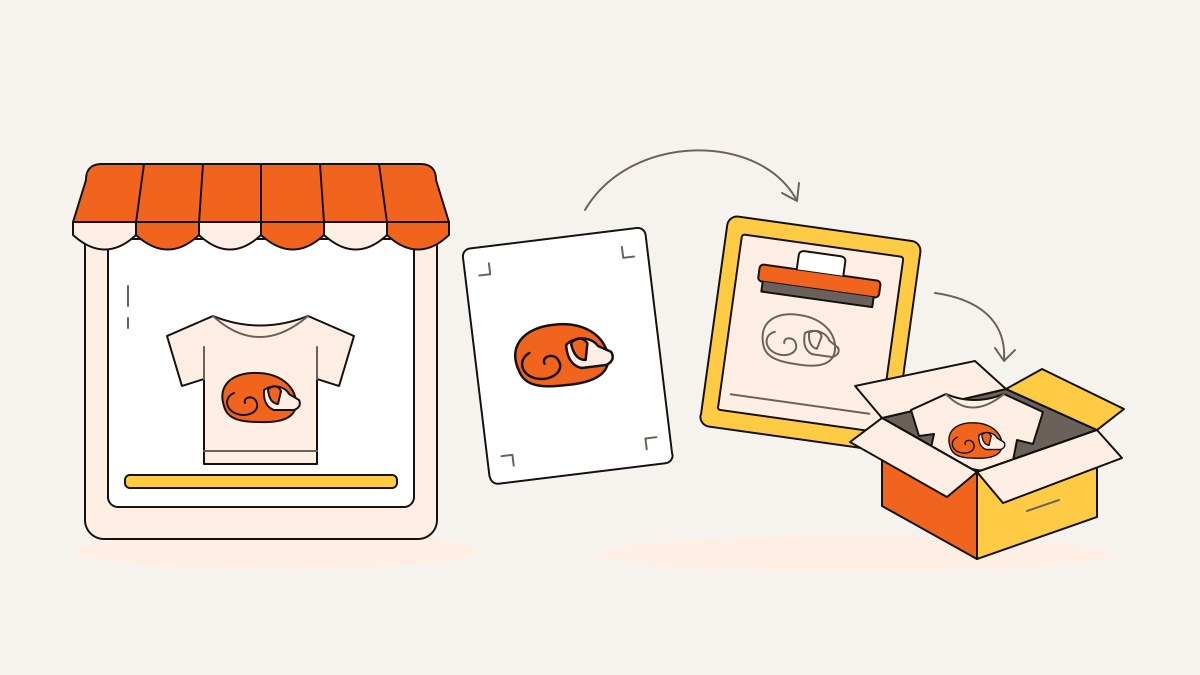
After an order arrives, your supplier prints the product, packs it, and ships it to your customer. You make sure the order reaches the supplier. You’re also the customer’s contact from start to finish.
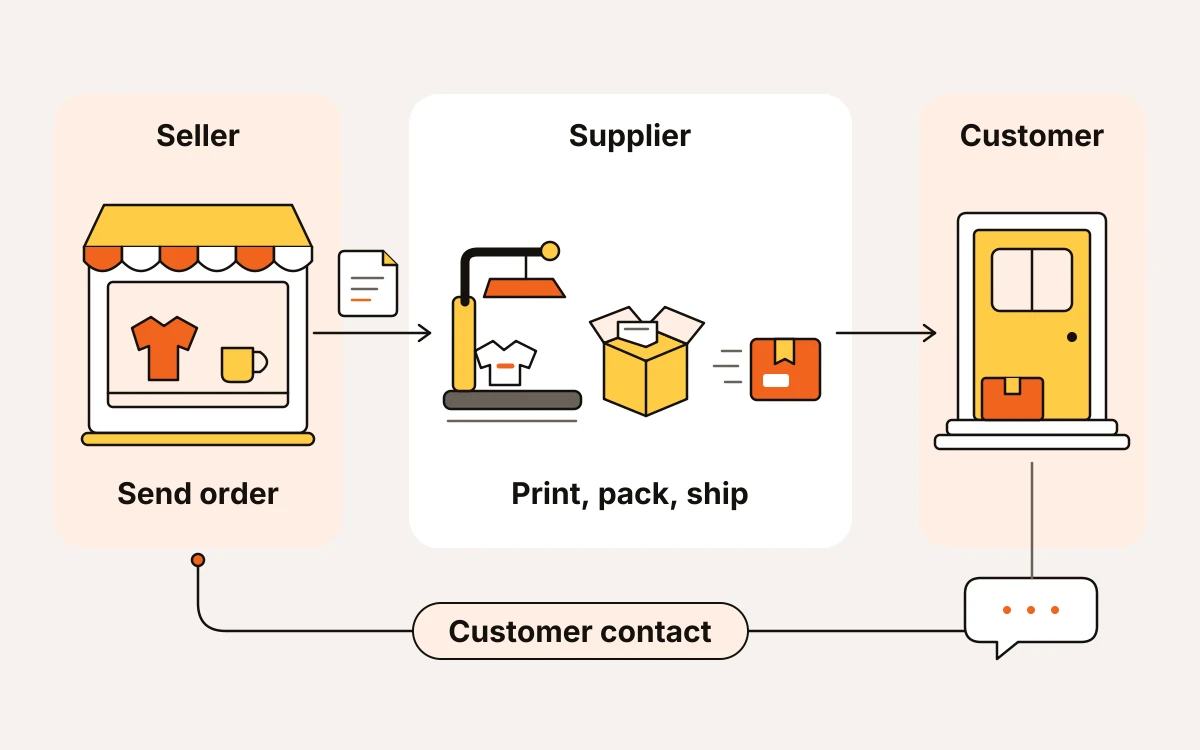
Here’s how an order moves through:
- Upload your design files to the supplier, ready for printing. Choose the product they’ll print on.
- Connect your store so order details can reach the supplier automatically. This cuts down on details you enter by hand.
- Your customer pays through the site where you sell. You pay the supplier to make and ship the product. Plan to cover that bill even if the customer’s payment isn’t available yet.
- The supplier makes and ships the order.
- You answer delivery questions, respond to feedback, and sort out complaints with the supplier’s help.
For Etsy, create your own designs and name your production partner: the supplier making your products. Etsy publishes its current rules for designs and naming production partners in its Creativity Standards. Check those rules when choosing what to sell.
Choose your buyer, first product, and selling platform
Choose a buyer you understand before building your range of products. Then pick a place to sell where the shoppers and daily tasks fit your shop.
- Buyer: Start with a clear group that shares a community, interest, or style. Say you sell gardening shirts for vegetable growers who enjoy dry humor. That gives you a clearer idea of what to design than “gifts for everyone.”
- Product: Match the design to how your buyer will use it. Sayings and graphics people want to wear fit shirts; decorative artwork fits wall art. For the gardening collection, start with shirts. Hold off on putting every design on mugs, posters, and tumblers. Each added product needs its own quality check.
- Platform: Compare who shops there, how much control you have, and how your supplier connects to the site. Etsy puts your listings, the pages where you sell your products, where shoppers already browse. You’ll work within Etsy’s shop format and rules. A hosted storefront builder gives you more control over your shop’s look and how customers browse and buy. But you’ll need a plan to bring shoppers in. Amazon offers another marketplace with its own shoppers. Check the rules for your chosen selling program and how your supplier connects to it. Before committing, confirm that your supplier supports that site. It also needs to handle orders the way you need.
- Initial collection: Plan two or three designs for the same buyer and product. This lets you compare which designs draw interest.
Choose a supplier for the product and destination
Choose a supplier that can make your exact product and ship it where your customer lives. Compare the full cost, including shipping, and promised production times before trusting a fast-shipping headline.
Use this checklist to narrow your options:
- Product availability: Check that the base product, the blank item you'll print on, has the sizes and colors you need. It must also allow printing where you want it. Having your chosen product available matters more than a large catalog.
- Delivered cost: Add production and shipping costs for your target destination. A cheaper shirt can become the more expensive order once shipping is included.
- Customer proximity: Find out where your product is printed and shipped. Use that location, rather than the supplier’s headquarters, to judge how close production is to your customer.
- Integration: Check the connection between your store and the supplier. It needs to support your product, its options, such as sizes and colors, and any custom choices you offer.
- Production commitments: Processing time is how long it takes to make and prepare the order for shipping. Your delivery estimate must include this time plus the carrier’s shipping time. Explain both on your FAQ or Shipping page. A published service-level agreement spells out the supplier’s delivery promises. Compare those promises with delivery records, customer reviews, and industry forums to spot repeated late orders or printing flaws.
Before making design files ready for printing, confirm the manufacturer’s file requirements. These include resolution, the level of image detail, and color space, the system used to define colors. Also confirm where the design can go and which custom changes the manufacturer supports. You'll avoid designing something the supplier can’t print as intended.
Order a sample through your connected store. This tests checkout, the order’s transfer to the supplier, and the making and shipping of the product together. When it arrives, check print clarity, design placement, materials, and packaging. Compare the actual delivery time with the promised timing. If quality or delivery falls short of the commitment, resolve the problem before sending customer orders.
Budget for launch and calculate what each sale leaves
Your launch budget must cover setup costs and supplier payments while you wait for marketplace payouts. Those payouts are the money the marketplace sends you from your sales. Use real quotes for your product and the places you’ll ship to. These will help you work out how much cash you need.
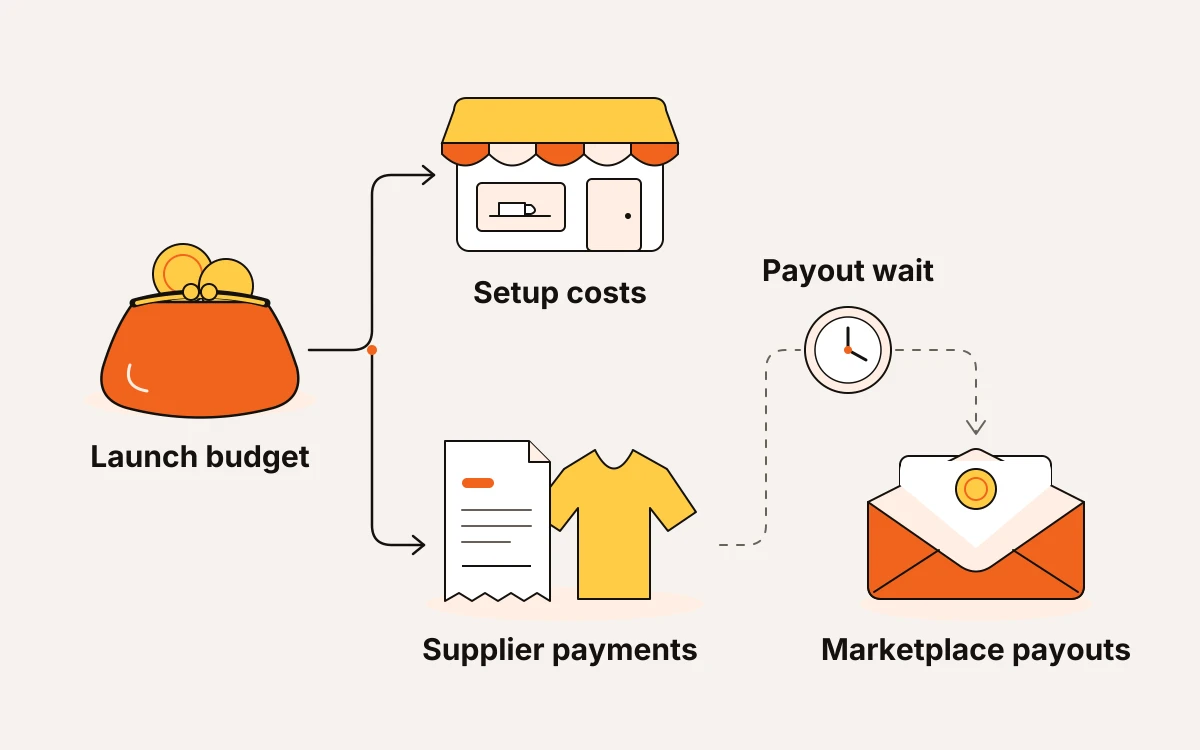
Split your costs into four groups:
- Samples: the product, printing, and delivery charges.
- Design expenses: artwork, software, and getting design files ready to print.
- Storefront costs: setup charges, subscriptions, and paid apps for the place you choose to sell. For a hosted storefront builder, check the subscription, payment-processing charges, and any extra transaction fees. For Amazon, check your selling plan’s monthly or per-item charge and the referral fee for your product category. Use each service’s current published rules when comparing costs.
- Ongoing order costs: production, shipping, fees charged by your selling platform, and marketing tied to sales.
Print on demand (POD) generally costs more per item than buying in bulk. Start with your supplier’s quote to set a price. Then compare similar products to see whether your offer fits what buyers will pay.
Calculate what an order leaves. This is your contribution margin:
Contribution margin = sales revenue − production cost − shipping cost − platform fees − marketing cost attributed to the order
Sales revenue is your item price plus any shipping charge paid by the buyer, excluding sales tax collected for a tax authority. Marketing cost attributed to the order means the marketing spending tied to that sale. If your retail price includes delivery, you still need to count the supplier’s shipping charge.
Contribution margin is the money left to cover general business costs and leave a profit. To work out your take-home pay, subtract ongoing subscriptions and other business expenses. You also need to account for your time spent designing, answering messages, and fixing problems.
Before publishing, run this short money check:
- Calculate costs for each destination. If shipping costs leave too little money, change the total price with delivery or where you ship.
- Check when you’ll get paid. You need enough cash to pay the supplier before marketplace payouts arrive.
- Record what each order actually costs. If ads use up the remaining margin, pause that spending before paying for more orders.
Work through a small gardening-shirt launch
For the gardening-shirt collection, choose an original herb illustration for vegetable growers who also grow kitchen herbs.
Your customers’ interests can help you choose the design. Look for mentions of herb gardening in reviews and messages, or ask customers through a poll. An original illustration of basil, rosemary, and thyme gives you a clear shirt idea.
For an illustrative US Etsy order, price the gardening shirt at $28 with shipping included. Estimate production at $12 and supplier shipping at $4. These are example costs; replace them with your supplier’s quote.
- Sales revenue: $28, excluding sales tax.
- Estimated production and shipping: $12 + $4 = $16.
- Listing fee: $0.20.
- Transaction fee: 6.5% × $28 = $1.82.
- US Etsy Payments processing: 3% × $28 + $0.25 = $1.09.
Assuming no sales tax on this example order and no advertising cost, contribution margin is $28 − $12 − $4 − $0.20 − $1.82 − $1.09 = $8.89 before overhead. That money covers subscriptions, design expenses, and other business costs before profit. A $3 advertising cost for this sale would reduce it to $5.89.
Check Etsy’s current published Fees & Payments Policy and Etsy Payments Policy for fee bases and any additional charges that apply to your shop. Payment processing can also apply to sales tax collected at checkout. You can enter your actual costs in eMarketInsight’s free print-on-demand profit calculator.
For the listing draft, use “Herb Garden T-Shirt for Gardeners” as the working title. Prepare the design file so it's ready to print on your chosen shirt. The sample will show you whether the fine herb labels remain readable.
Before you launch, check these three things:
- The sample’s print and fit match what you’ll describe.
- Confirm that the $28 price covers your actual supplier quote and leaves enough to cover overhead.
- Add photos showing the actual shirt and readable design details, plus sizing and the delivery estimate.
If the labels disappear on the sample, simplify the artwork before adding more products.
Avoid shortcuts that create expensive customer problems
Copied artwork and delivery dates that are too tight can lead to refunds or complaints. So can custom options your supplier can’t make.
- Create original artwork. Successful designs can show you what buyers like. But your wording and how you arrange the design need to be your own. Don’t trace another seller’s illustration or copy their layout.
- Promise only custom options your supplier supports. A buyer might want printing in extra spots or a complex layout made just for them. Before you accept the order, confirm your supplier can make it. Otherwise, offer a simpler option you can deliver.
This week, move one product toward a real launch
Make sure buyers can complete checkout, publish your approved products, and track what happens after launch. Wait to add more designs until you know which part needs fixing.
- Finish your payment, shipping, and customer-contact settings. Buyers need to be able to pay, understand their delivery options, and reach you when something goes wrong.
- Publish only approved products. For the gardening-shirt launch, use clear descriptions and accurate images that match the sample you approved. Buyers should be able to understand the shirt’s fit, material, and printed design.
- Choose one place to promote your products where your intended gardening buyer already looks for ideas or recommendations. Give it your attention rather than opening accounts everywhere.
- Track visits, orders, and costs to see what needs work first. If visits are low, focus on reaching the right buyers. Visits without orders are a reason to review your images, descriptions, total price, and checkout. If orders leave too little money after costs, fix your pricing or reduce costs first. Adding products or paying to bring more people to your shop can wait.